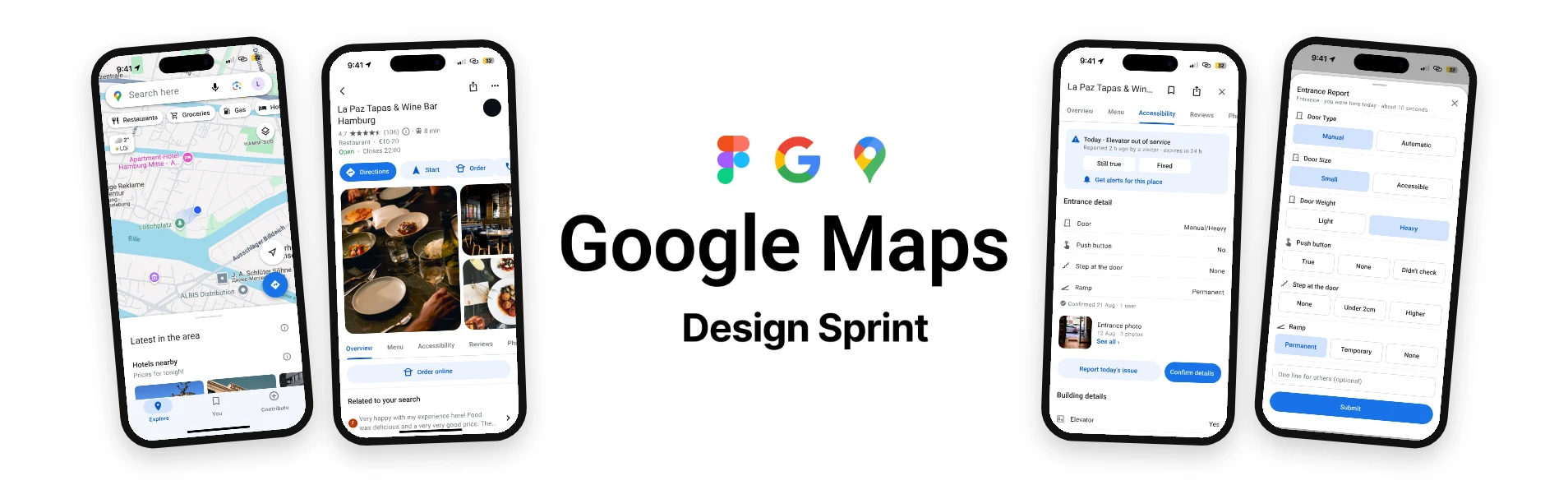
Google Maps Accessibility. Know before you go.
A design sprint for a new Accessibility tab on Google Maps place pages, so wheelchair users know what they will find at the door before they leave home.
The problem
A person who uses a wheelchair, a walker or crutches plans a trip across the city, and only finds out at the door whether the place really works for them.
Venues write their accessibility information once and never check it again. There is a ramp, but the door is too heavy. There is an elevator, but it is broken today. There is an accessible washroom, but it is full of boxes. The people who know the truth are the ones who already had a bad experience, and they have no reason to do this work for strangers.
⚖️ The tension: wrong information is worse than no information, because it costs the trip there and the trip back.
Long-term goal
In one year, wheelchair users in Vancouver make 90% of their trips without an accessibility surprise at the door, because they have up-to-date accessibility information. We would measure it through user reviews and feedback in the app.
The entrance is where people get stopped
- 1 in 5people with disabilities in Canada were stopped at a building entrance in the last year
- 77%found a venue's own accessibility information misleading or wrong (UK)
Sources: Statistics Canada, Canadian Survey on Disability 2022 · Euan's Guide, Access Survey 2024 (UK)
Sprint questions
Three questions the sprint had to answer:
Every kind of movement
How can we build something truly accessible for every kind of impaired movement: arms, legs, speech, vision?
An app for checking
Will our target users use a mobile app to check accessibility information?
Trust after one wrong trip
Will users keep using the app after one wrong trip?
Why Google Maps
People already look on Google Maps, and it holds the most accessibility data.
- 15 M+places with accessibility information on Google Maps, against about 2 M on AccessNow
- 120 M+Local Guides who can add accessibility details to a place
But no service shows when the information was last true: Google Maps, AccessNow and Wheelmap have no "last verified" date and no way to show today's state, like an elevator that is out today.
So we add both where people already look: a confirmed date on every section, and a Today card for temporary problems.
Sources: Google, The Keyword (2020) · Google for Startups, AccessNow story · Google Maps Help · Mobasheri et al. 2017 (Wheelmap)
Who it's for
A wheelchair user is often an older adult, and often has weaker hands. In Canada, 25.5% of people aged 65 and over have a mobility disability and 11.3% a dexterity (hand) disability, far more than any younger group.
- 3.1 MCanadians have a mobility disability
- 1.5 Mhave a dexterity (hand) disability
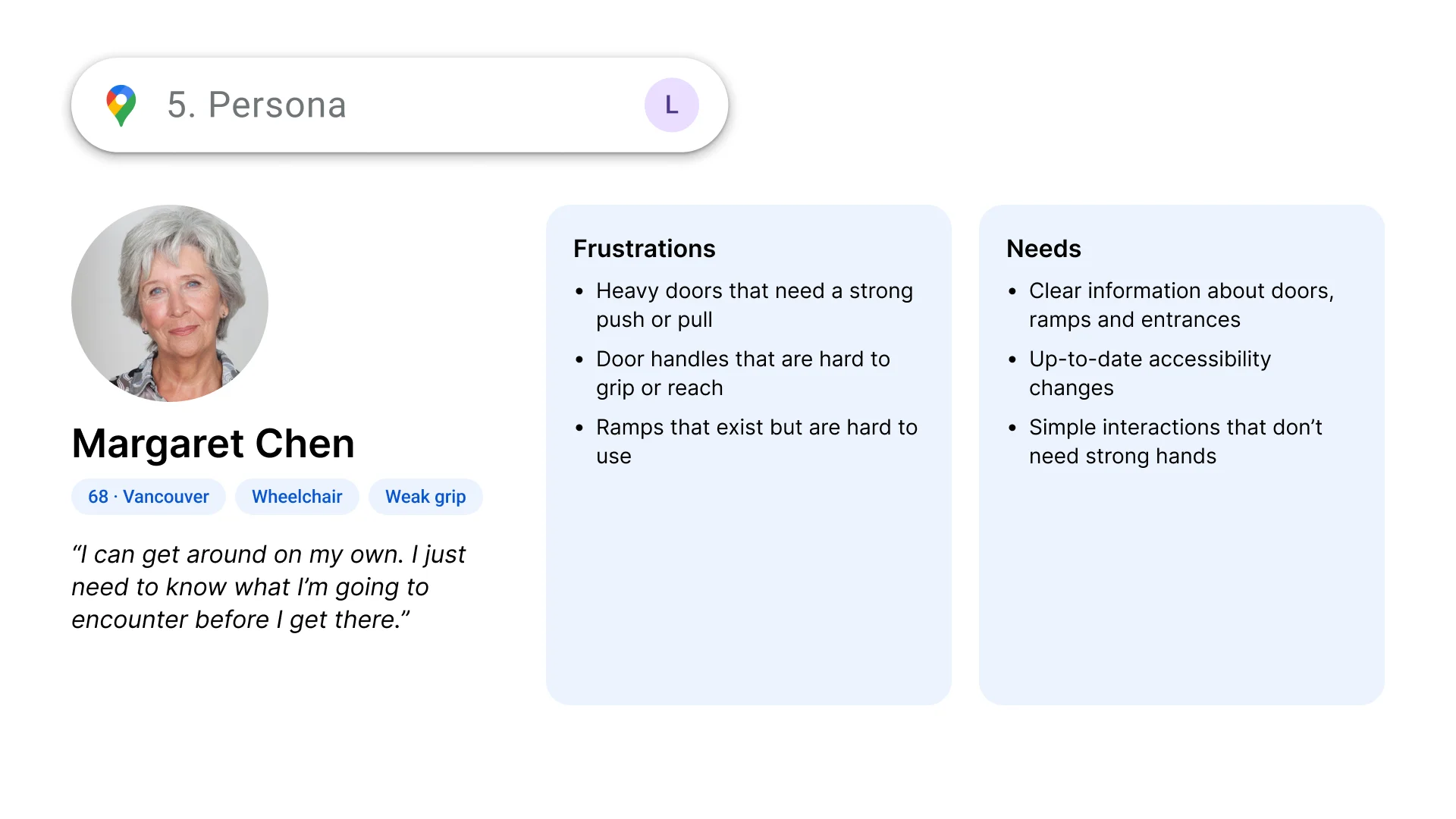
Persona: Margaret Chen
68, lives in Vancouver, uses a wheelchair and has a weak grip. "I can get around on my own. I just need to know what I'm going to encounter before I get there." Heavy doors, hard-to-grip handles and ramps that exist but are hard to use stop her. She needs clear information about doors, ramps and entrances, up-to-date changes, and simple interactions that don't need strong hands.
Source: Statistics Canada, Mobility and Dexterity disabilities, 2022
Where it goes wrong
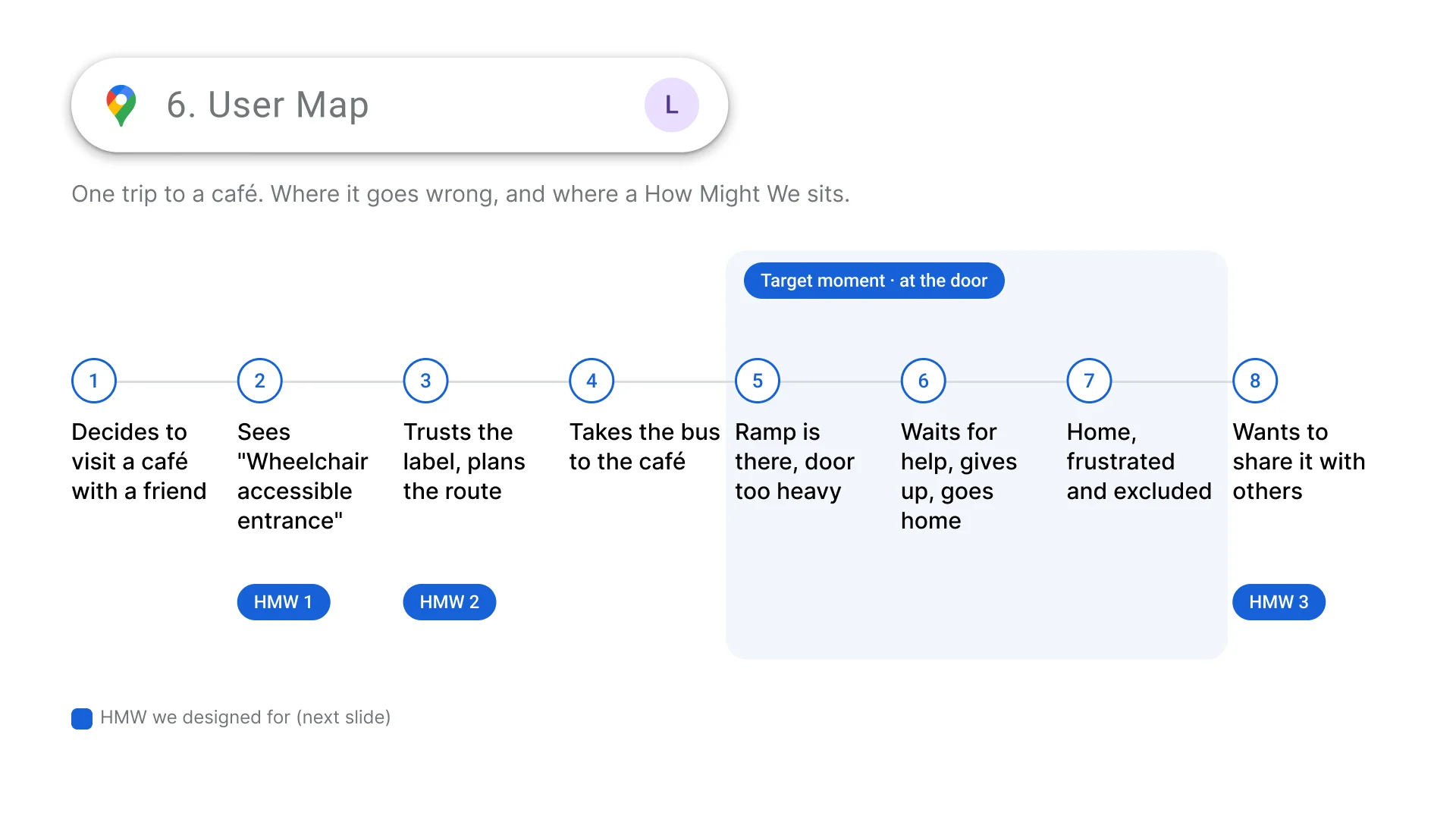
We mapped one trip to a café. Margaret sees "Wheelchair accessible entrance", trusts the label and takes the bus. At the door the ramp is there, but the door is too heavy. She waits for help, gives up and goes home, frustrated and excluded.
Three How Might We questions
Before the trip
HMW help wheelchair users know if a place is truly accessible before visiting? One "accessible" label says nothing about the door, the step or the ramp.
Planning
HMW provide accessibility information users can confidently rely on? No one can tell when the information was last true.
After the trip
HMW make it easy to report and share accessibility barriers with others? People who hit a barrier have no easy way, or reason, to report it.
Ideation
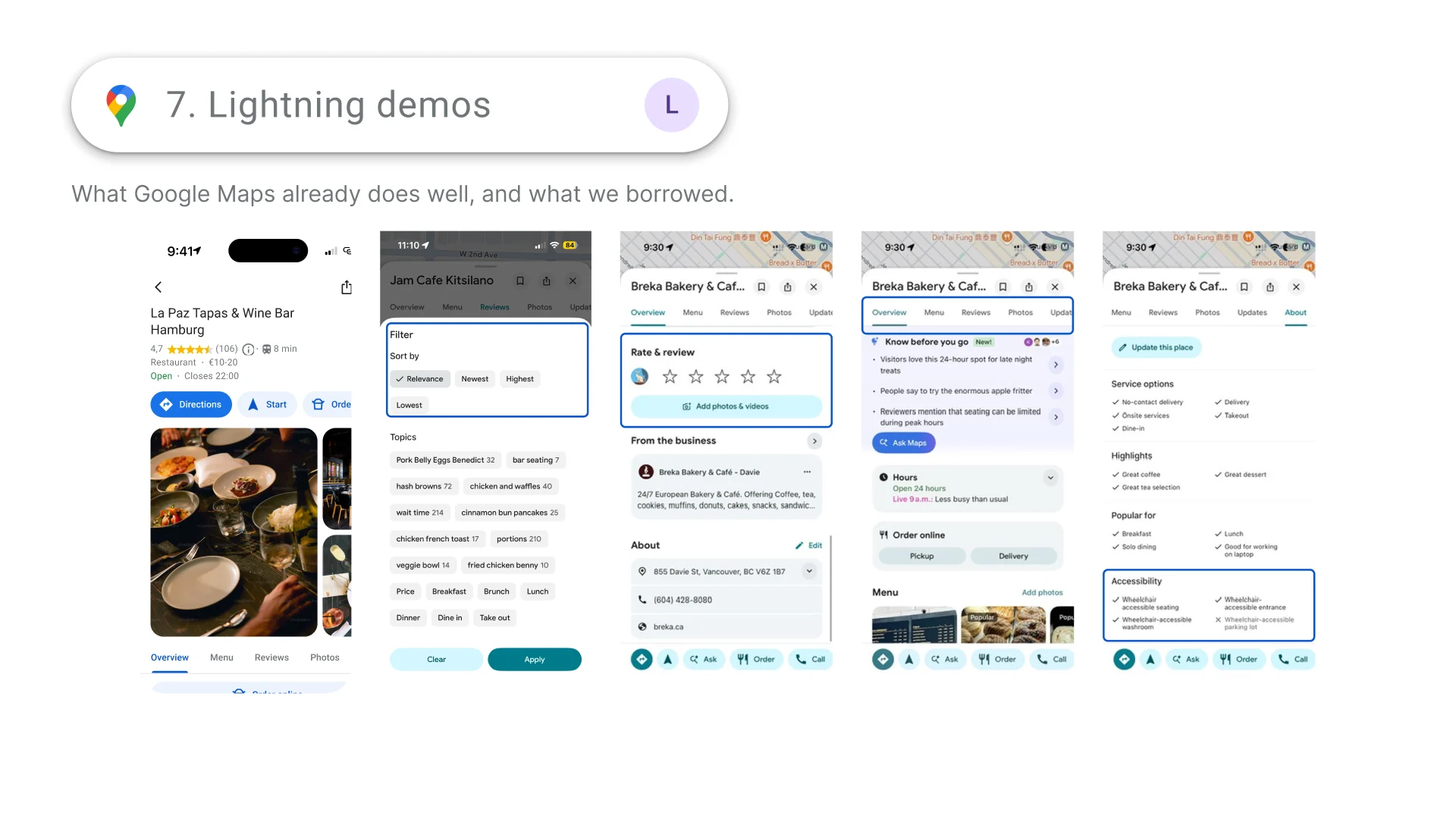
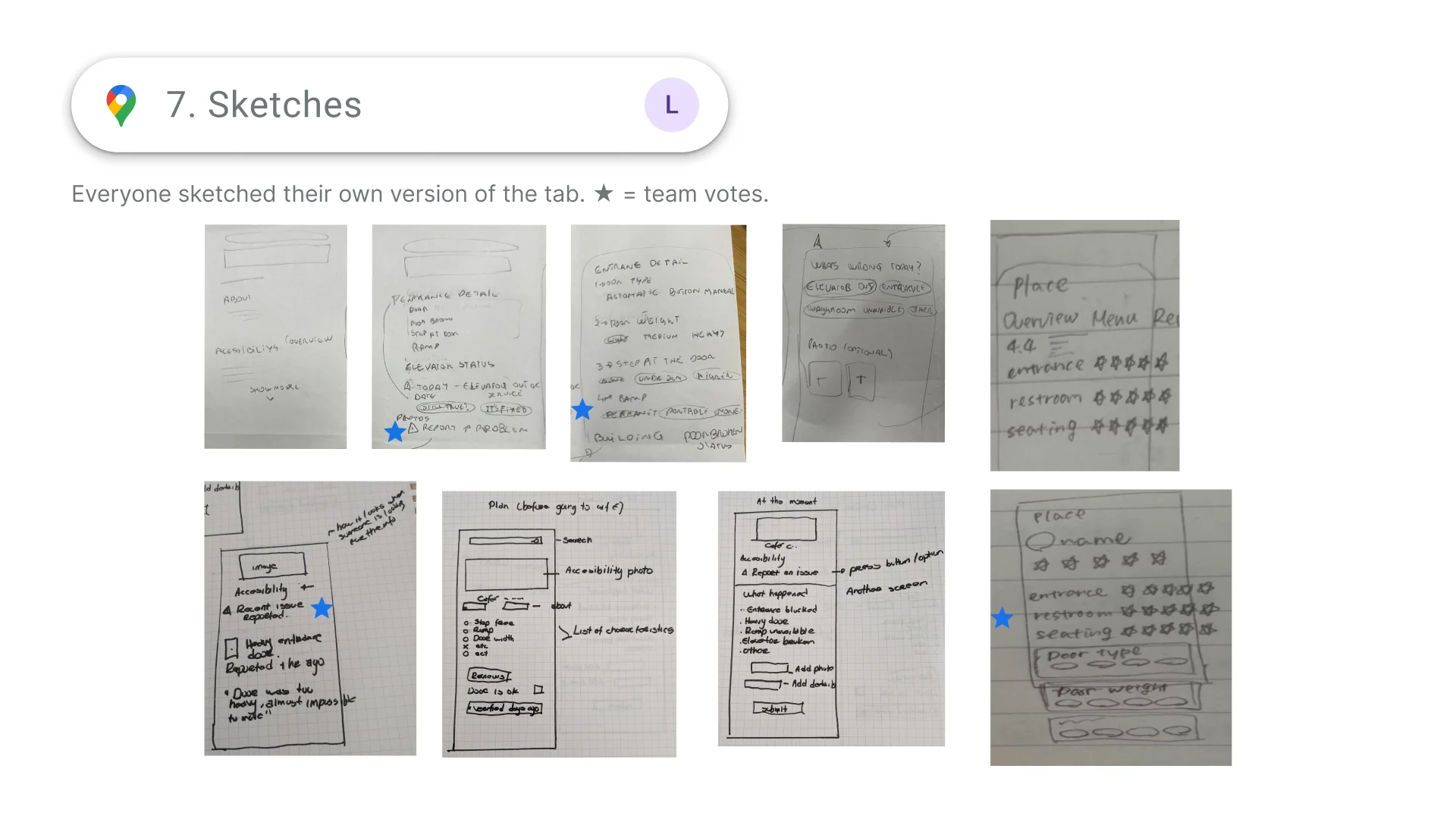
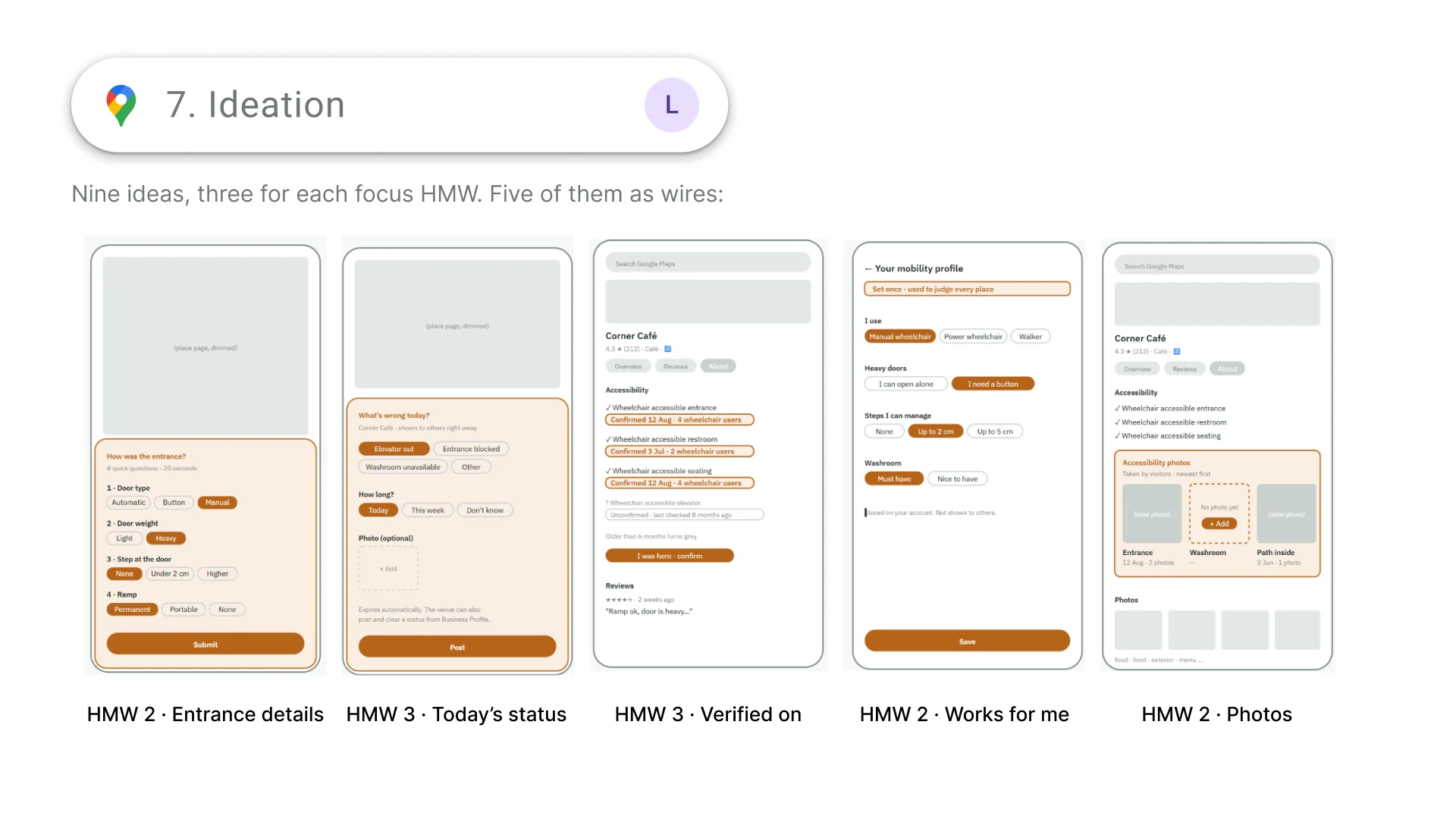
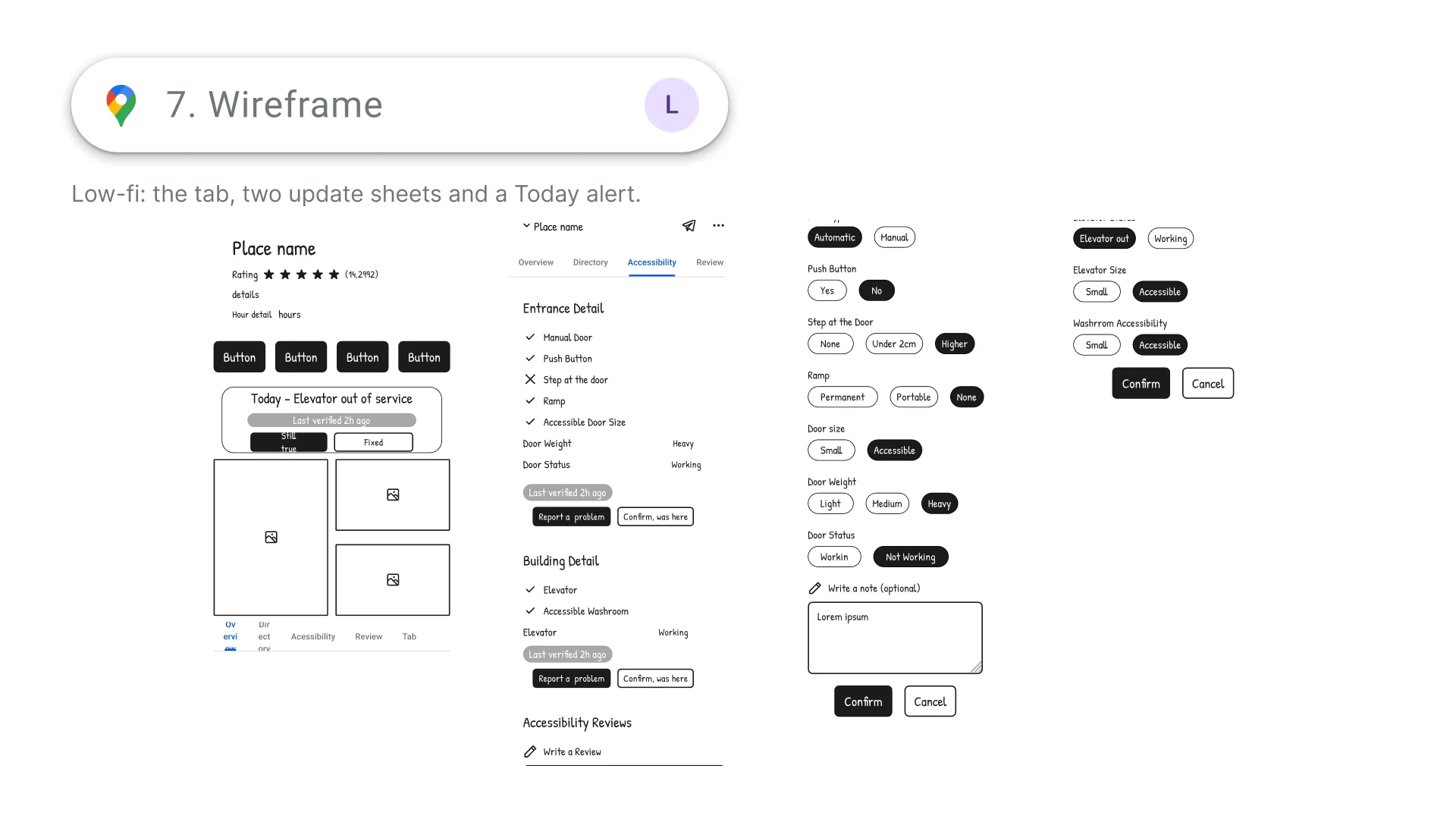
We started from what Google Maps already does well, then everyone sketched their own version of the tab and the team voted. We turned nine ideas, three for each How Might We, into five wireframes: entrance details, today's status, a "verified on" date, a "works for me" profile and photos.
Sketches, ideas and wireframes
Information architecture
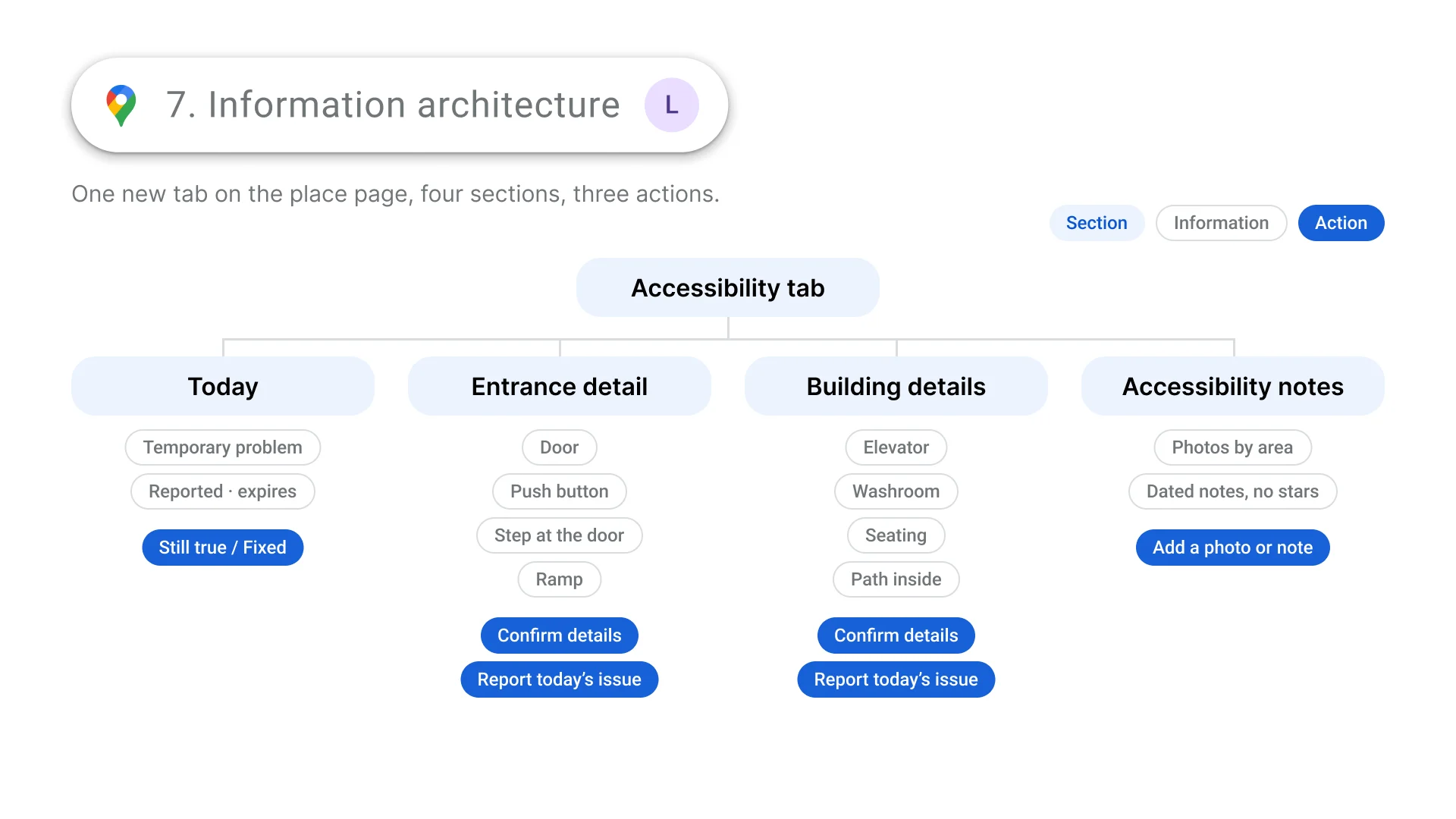
One new tab on the place page with four sections (Today, Entrance detail, Building details and Accessibility notes) and three actions: confirm details, report today's issue, and add a photo or note.
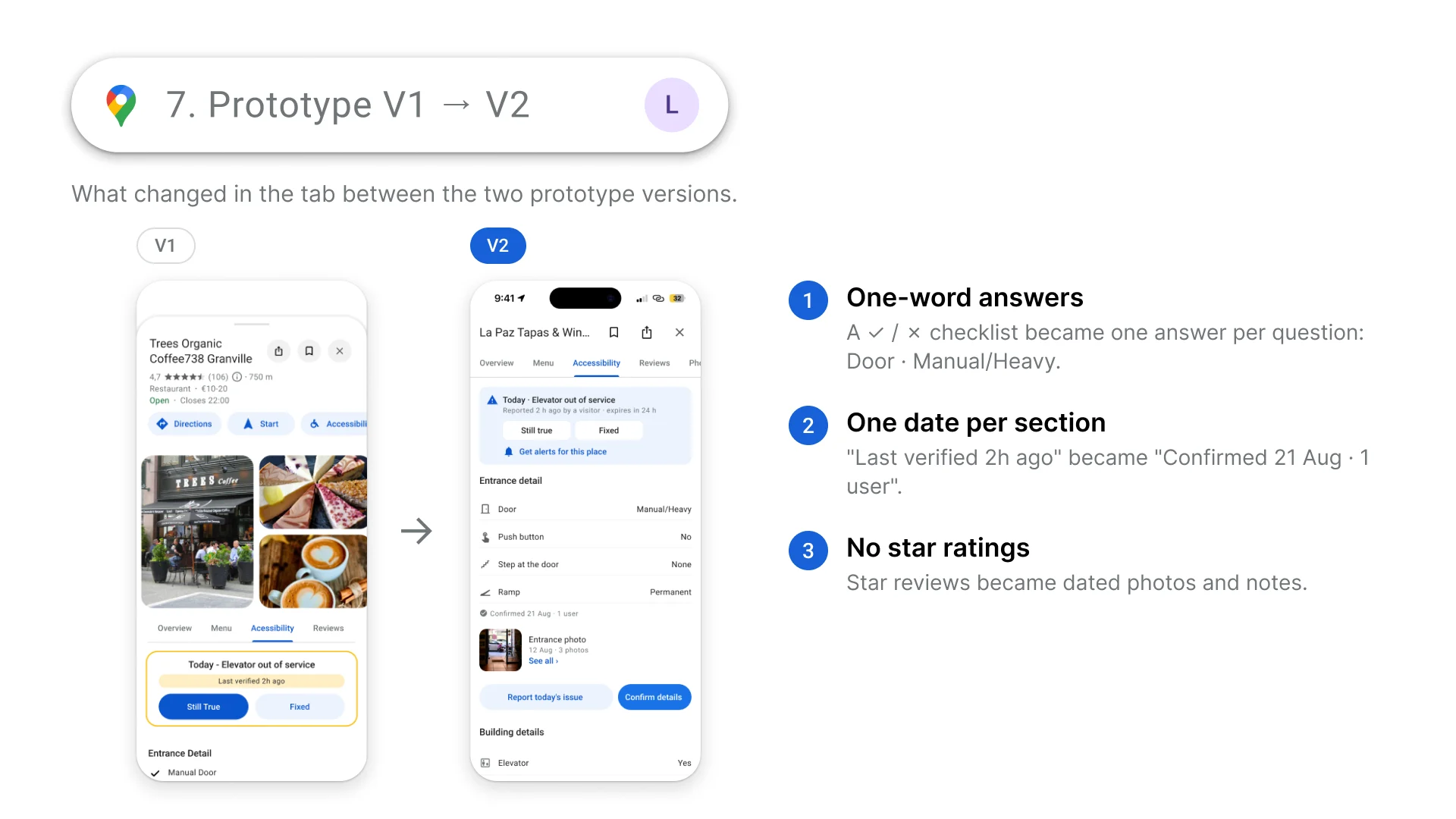
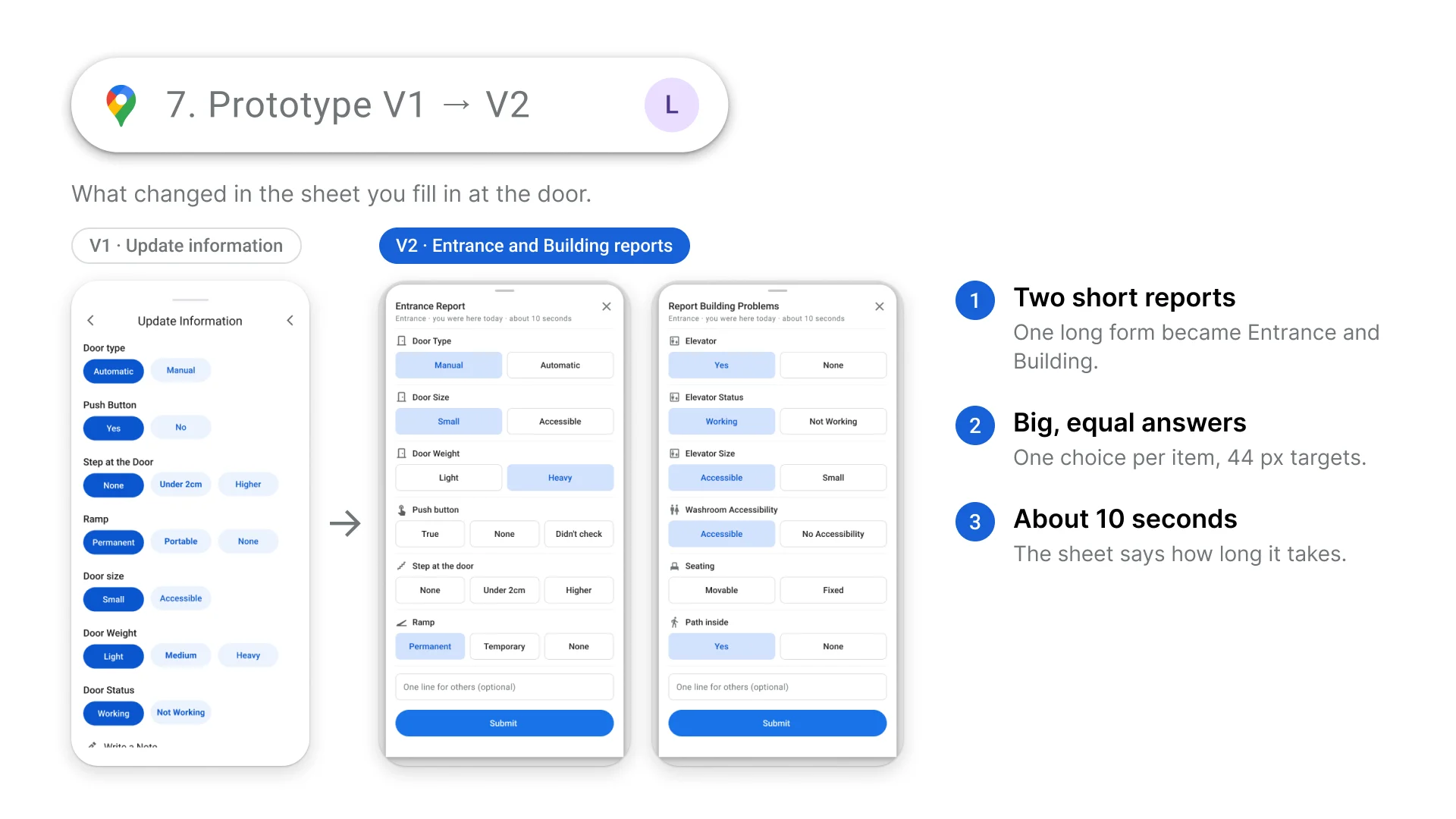
Prototype V1 → V2
Between the two prototype versions we simplified both the tab and the report you fill in at the door:
- One-word answers: a ✓ / ✗ checklist became one answer per question, like Door · Manual/Heavy.
- One date per section: "Last verified 2h ago" became "Confirmed 21 Aug · 1 user".
- No star ratings: star reviews became dated photos and notes.
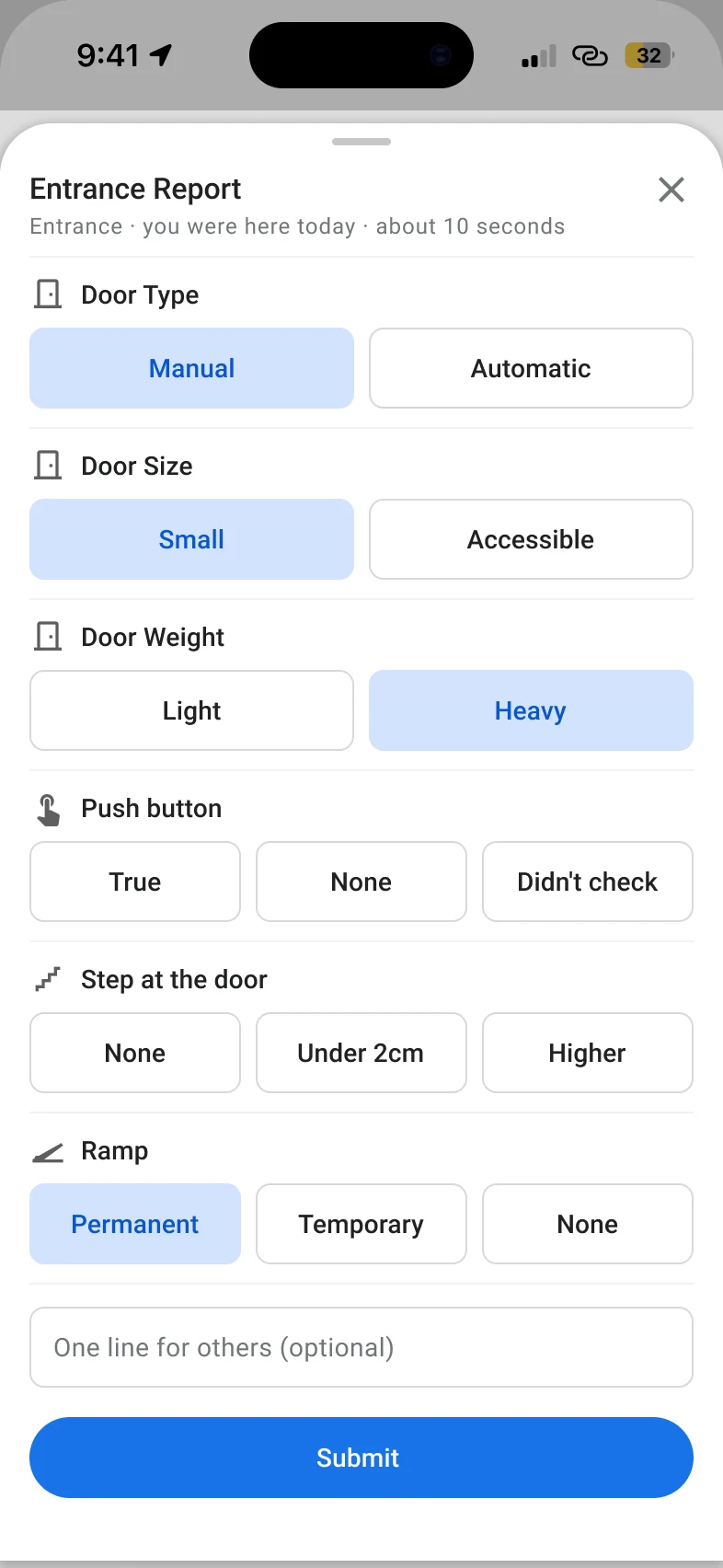
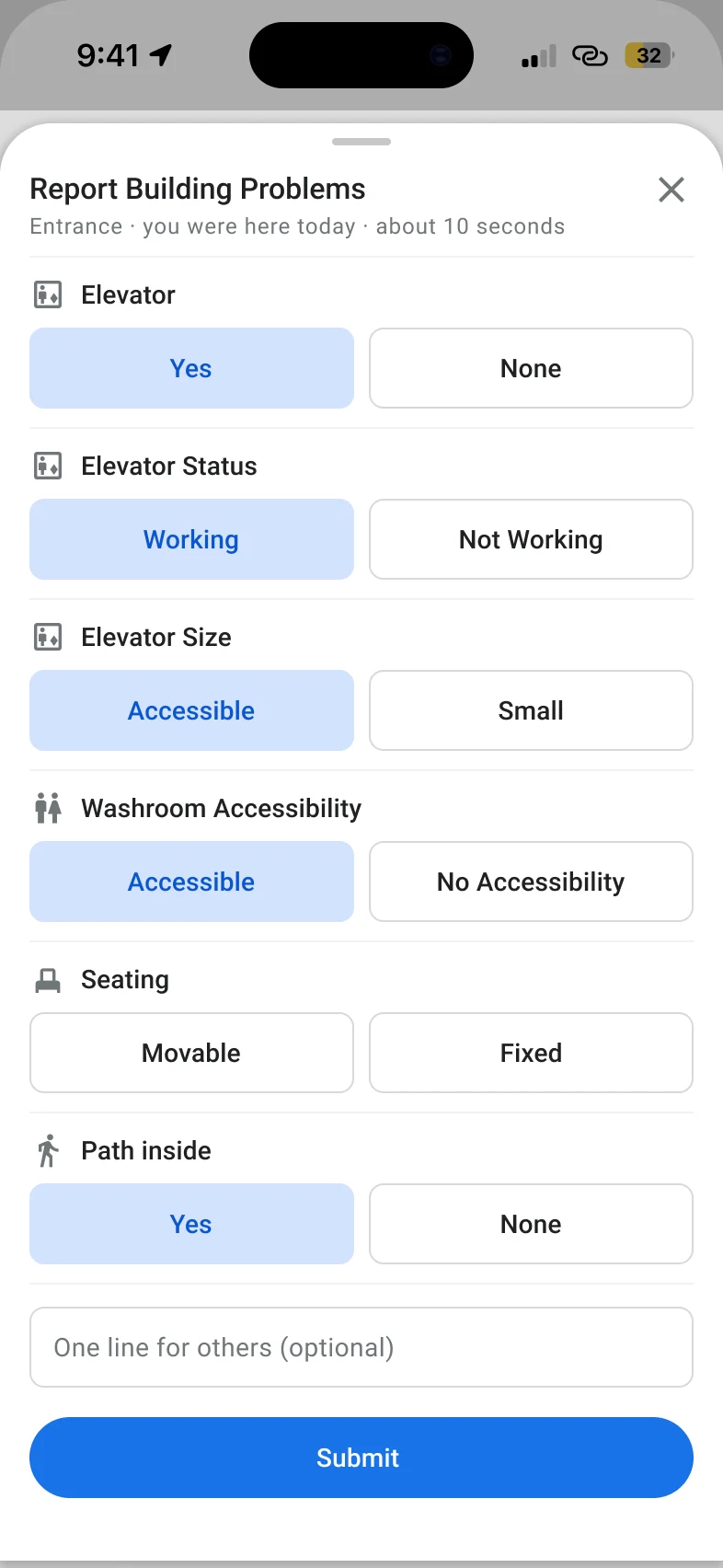
- Two short reports: one long form became an Entrance report and a Building report.
- Big, equal answers: one choice per item, with 44px tap targets.
- About 10 seconds: each report says how long it takes.
Final design
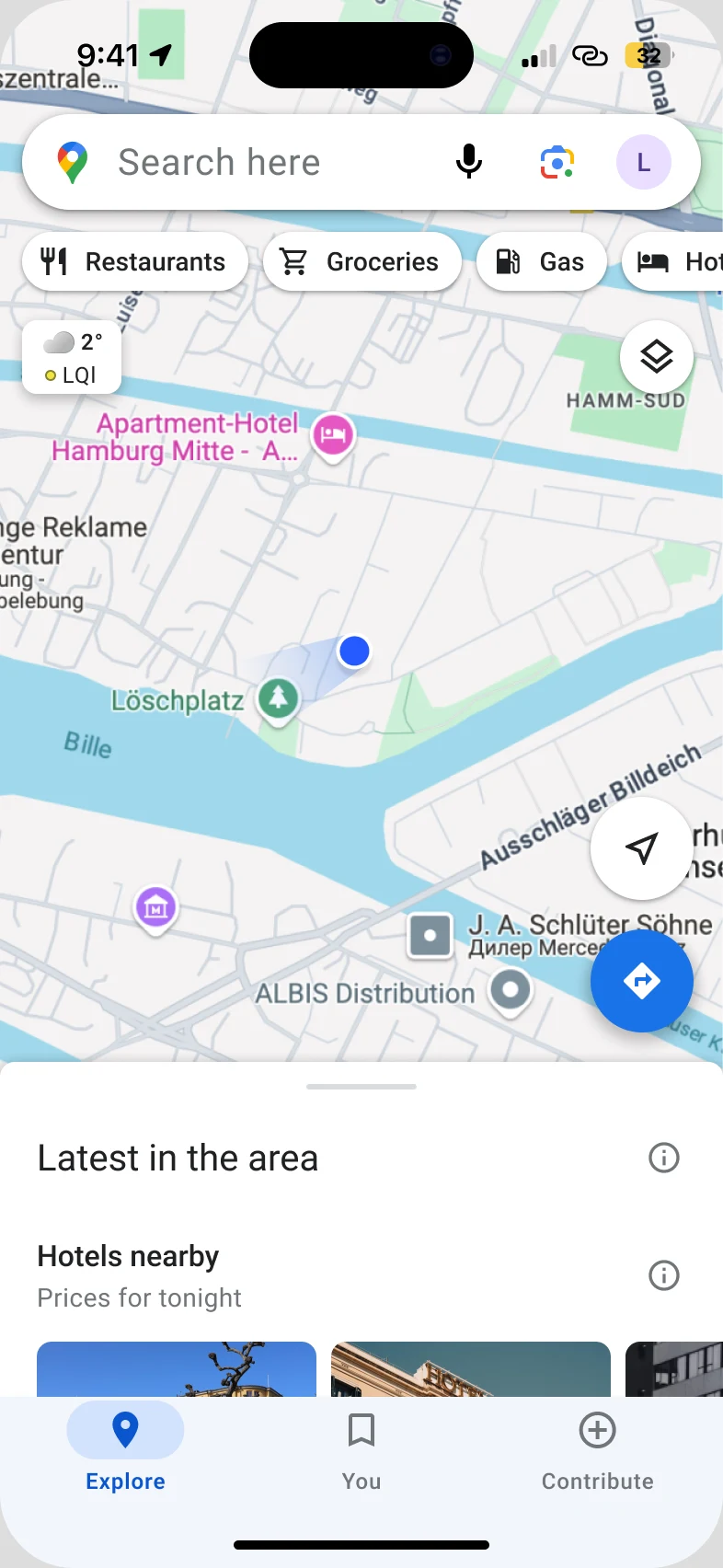
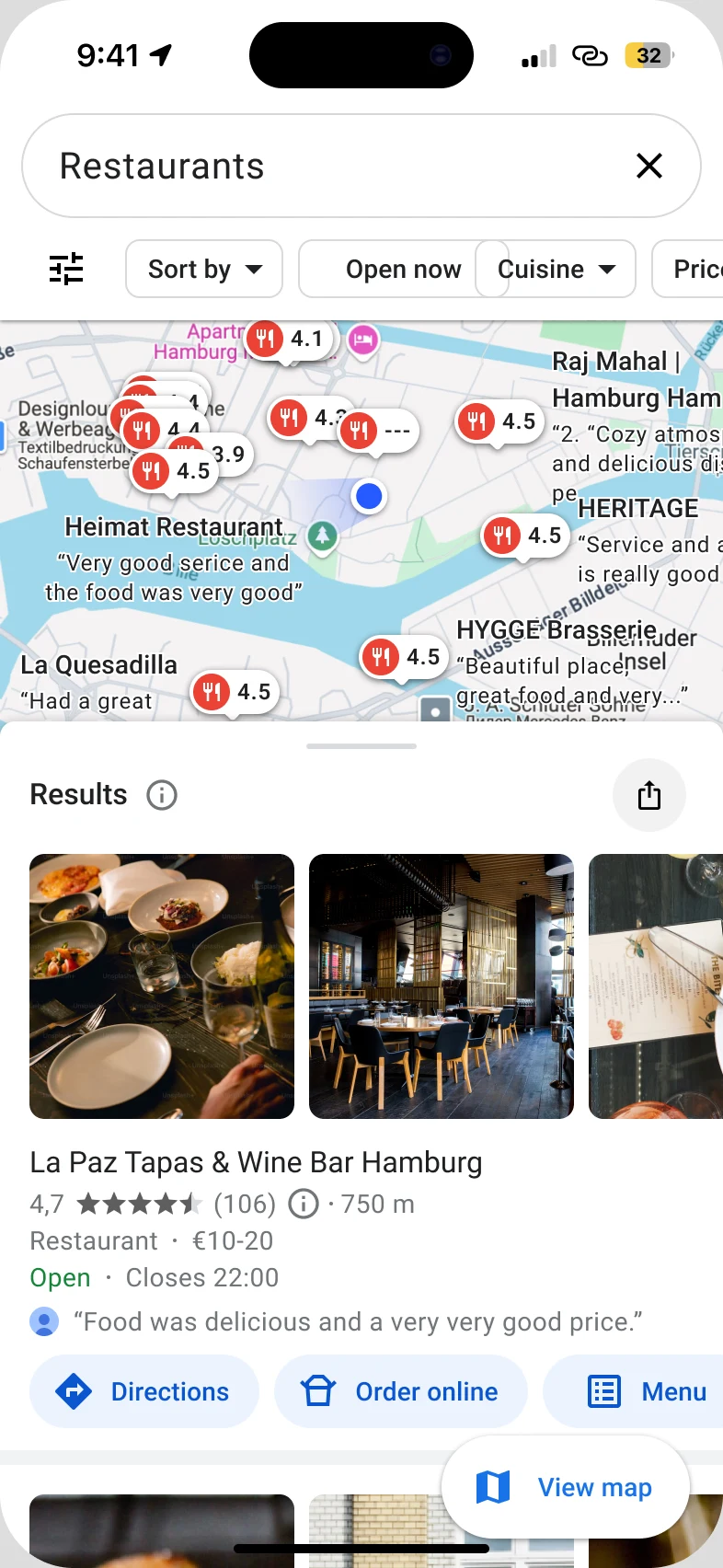
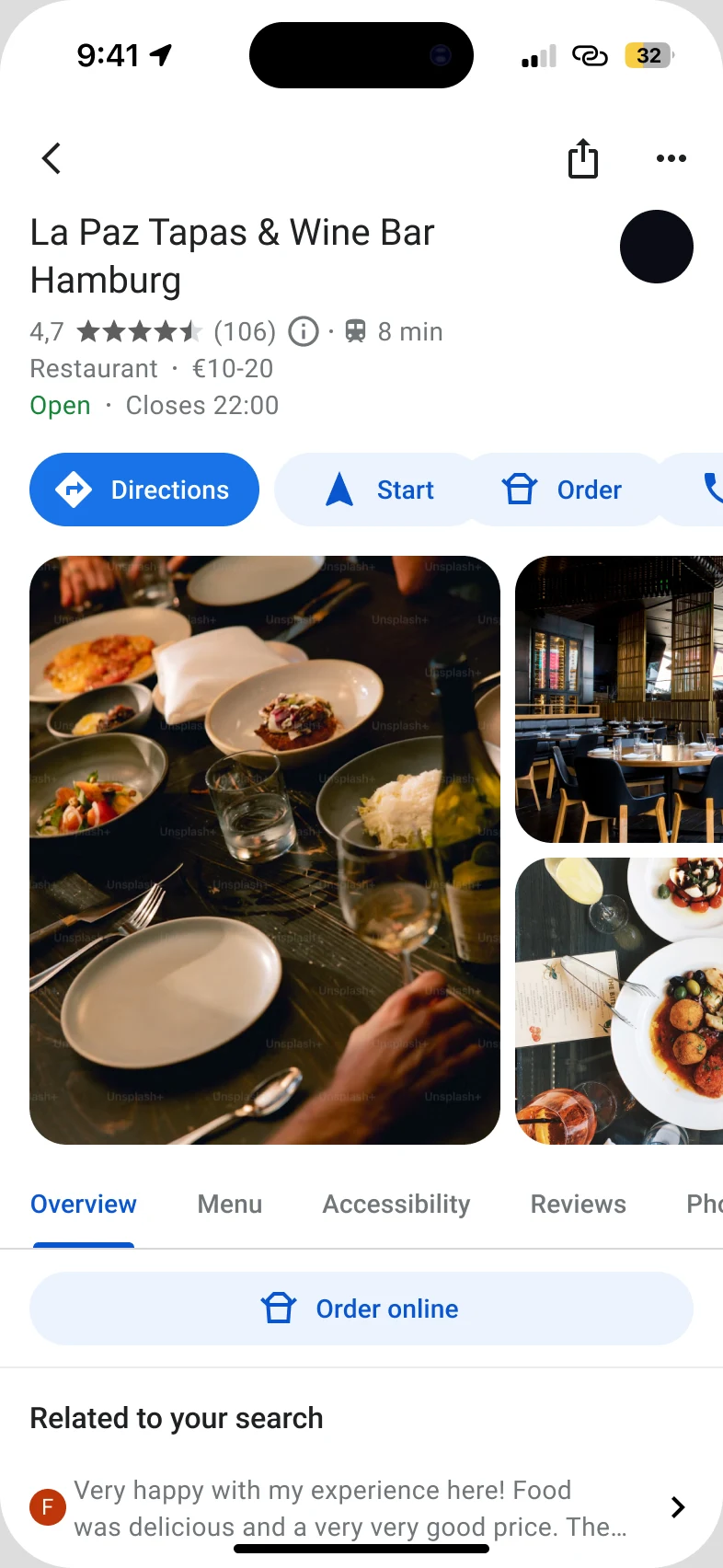
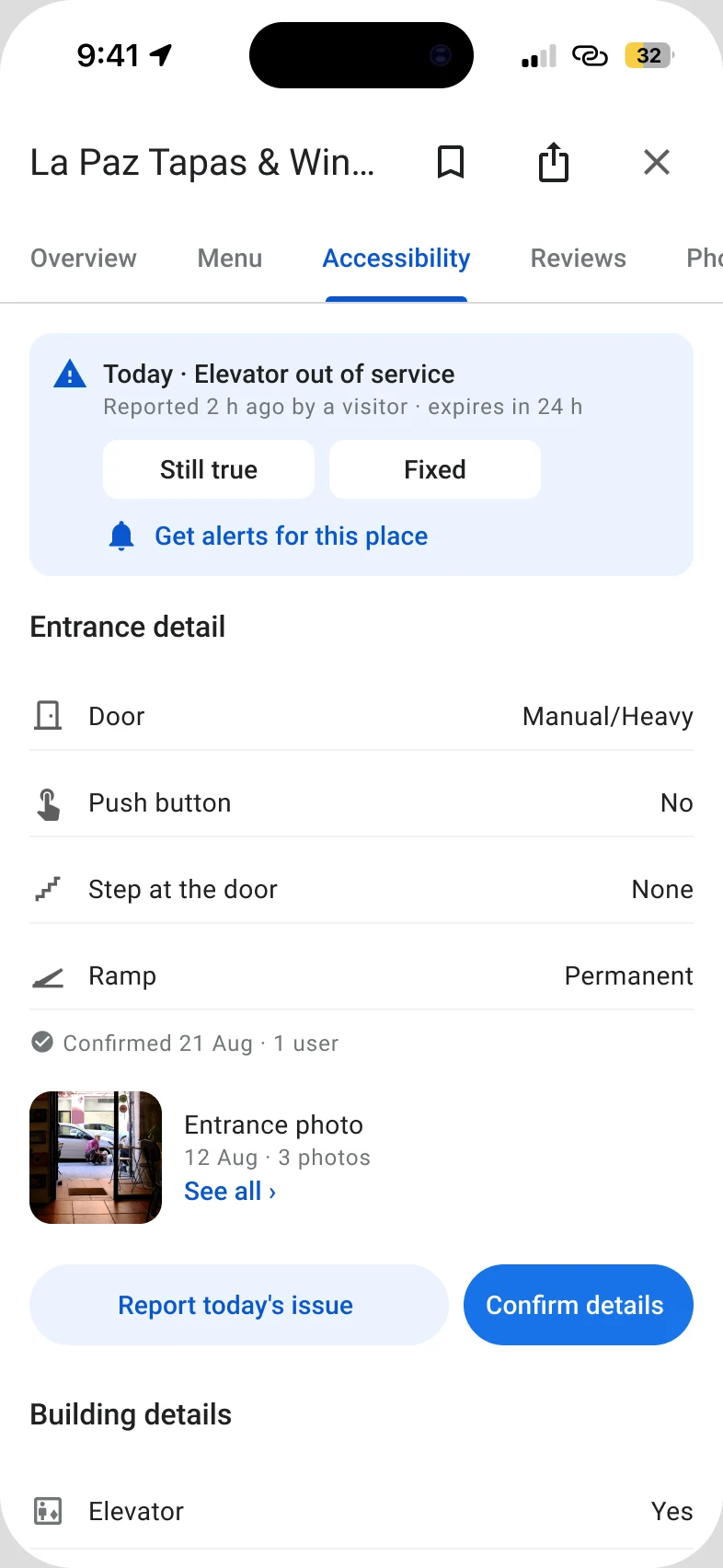
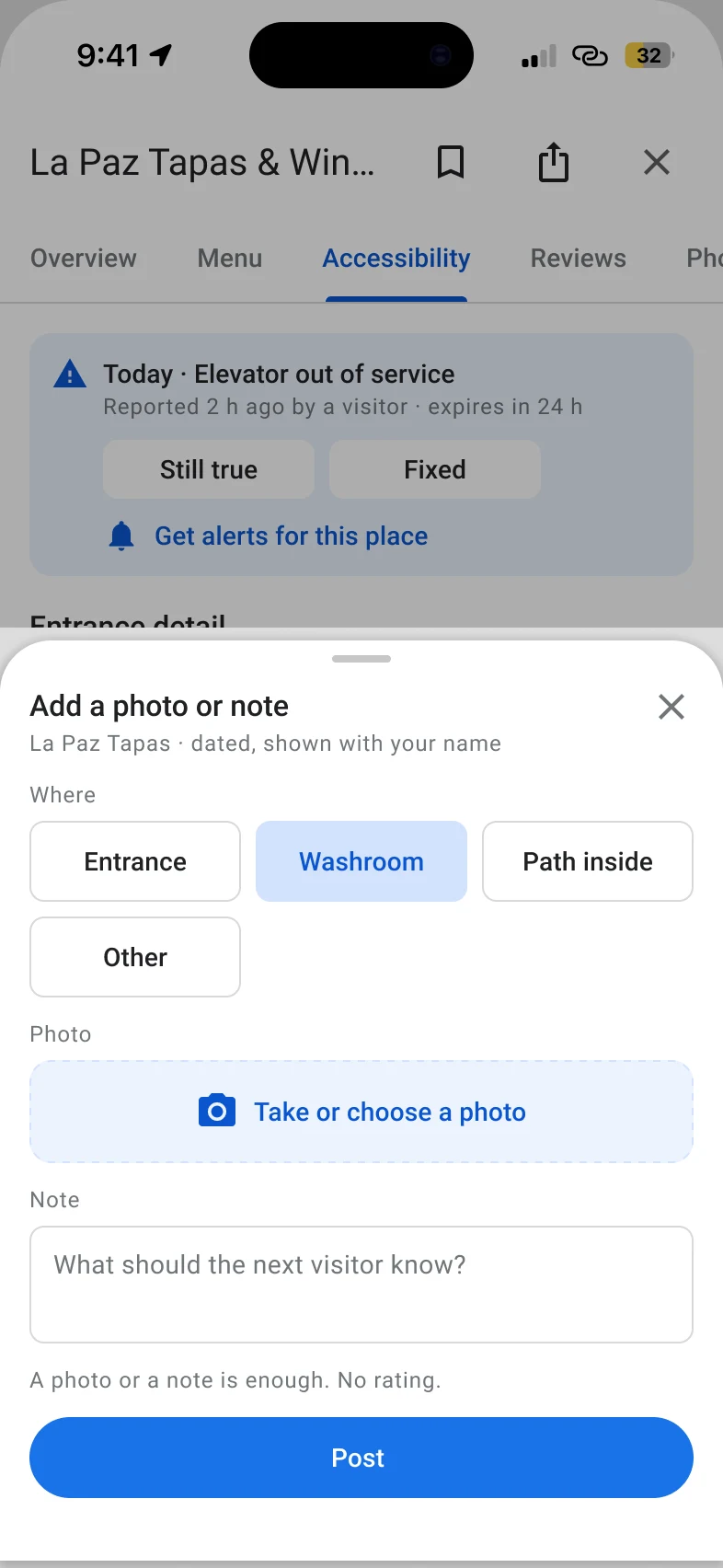
From the place page to the new Accessibility tab, then one of three short sheets:
- Today: temporary problems come first. Reported 2 h ago, gone after 24 h.
- Entrance detail: one-word answers for the door, push button, step and ramp.
- Confirmed 21 Aug · 1 user: every section says when it was last true.
Usability test
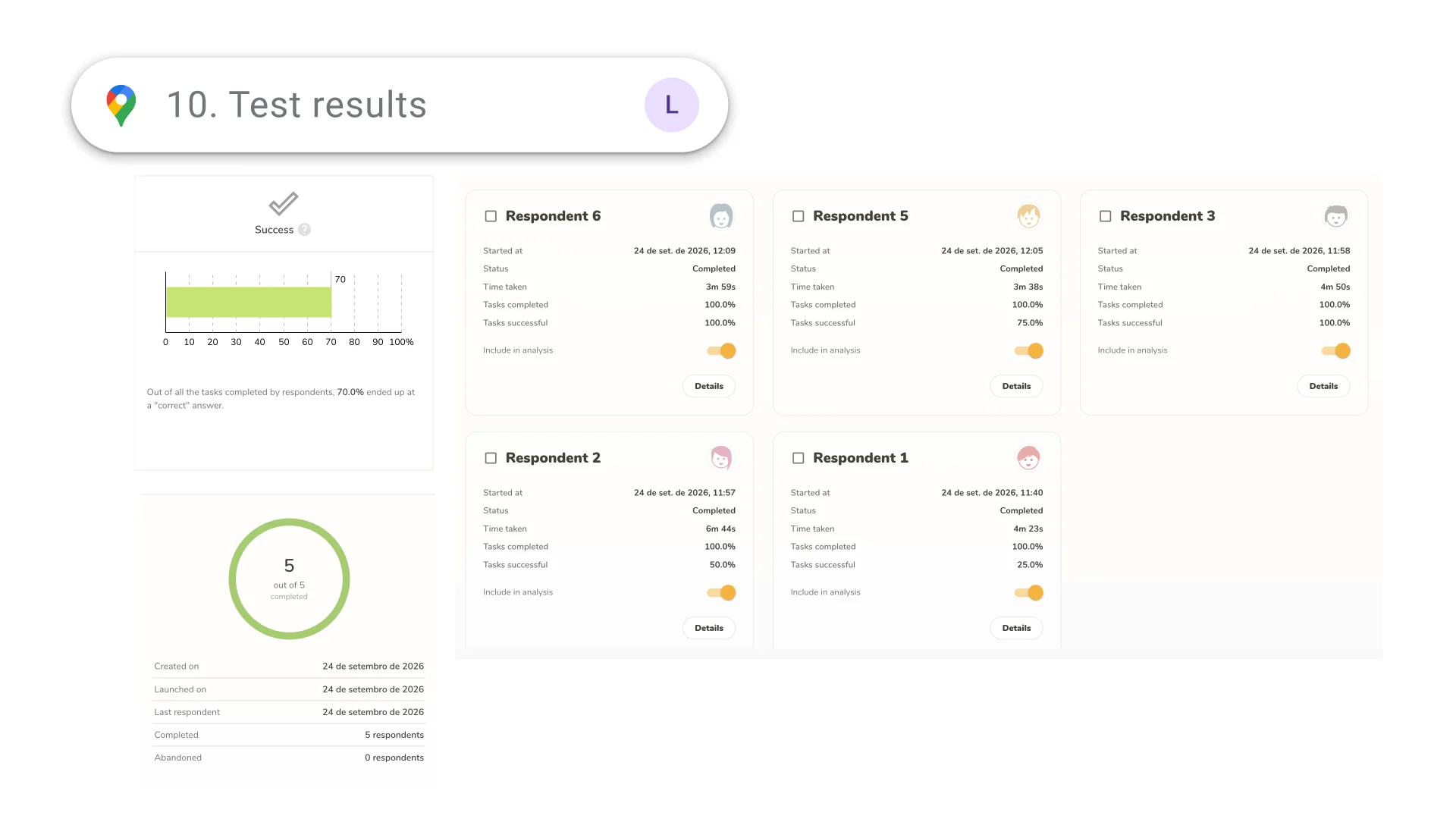
We tested the prototype with 5 participants and 4 tasks: check if a restaurant's entrance and washroom work for you, confirm that the information is still correct, report an elevator that is out of service, and post a photo and note about a barrier.
- 5/5participants completed every task
- 70%of the tasks ended with the correct answer, from 25% to 100% per participant
- 4m 43saverage time for all four tasks
The four tasks
- Your friend invited you to meet at La Paz Tapas & Wine Bar tomorrow afternoon. Before you say yes, make sure you can enter the restaurant and use the washroom independently. Use the app to check the accessibility information and decide whether you would go.
- When you arrived, the information in the app was accurate: the entrance and washroom were exactly as described. Where would you go in the app to confirm that the information is correct?
- The next day, you visit again and notice that the elevator is out of service, but Google Maps doesn't show it. Where would you go in the app to report it?
- You notice an accessibility issue at a place you recently visited. Use the app to create a post about it with a photo and a short note.